Release Highlights: July 2026

July was our biggest month of change yet. We rebuilt how Admire looks and works on every page, added dark mode, made commitments something you can actually track, and gave the people being coached faster ways to get assessed. Here are the highlights.
A Redesigned Admire
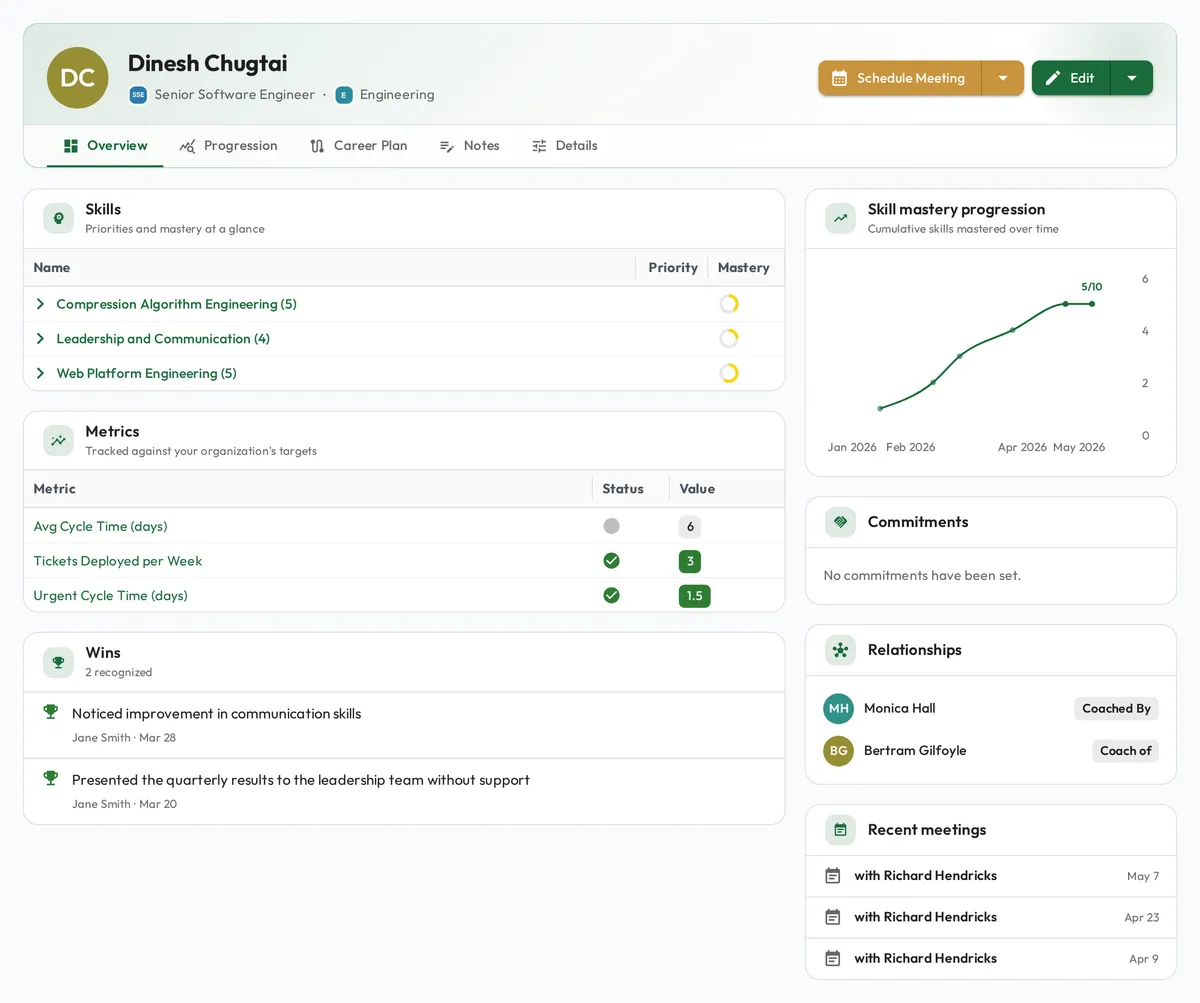
Admire has a new look, everywhere. Profiles, meetings, skills, reporting, playbooks, and settings were all rebuilt on one design system, and navigation changed the most. We prioritized having a modern and visually appealing interface, with fewer clicks to get to what you want.
Each page has one clear hierarchy instead of many controls competing for attention, editing controls stay hidden until you choose to edit, and density dropped so a screen can be scanned. Every guide in the help center shows the current screens, so what you read matches what you see.
Dark Mode
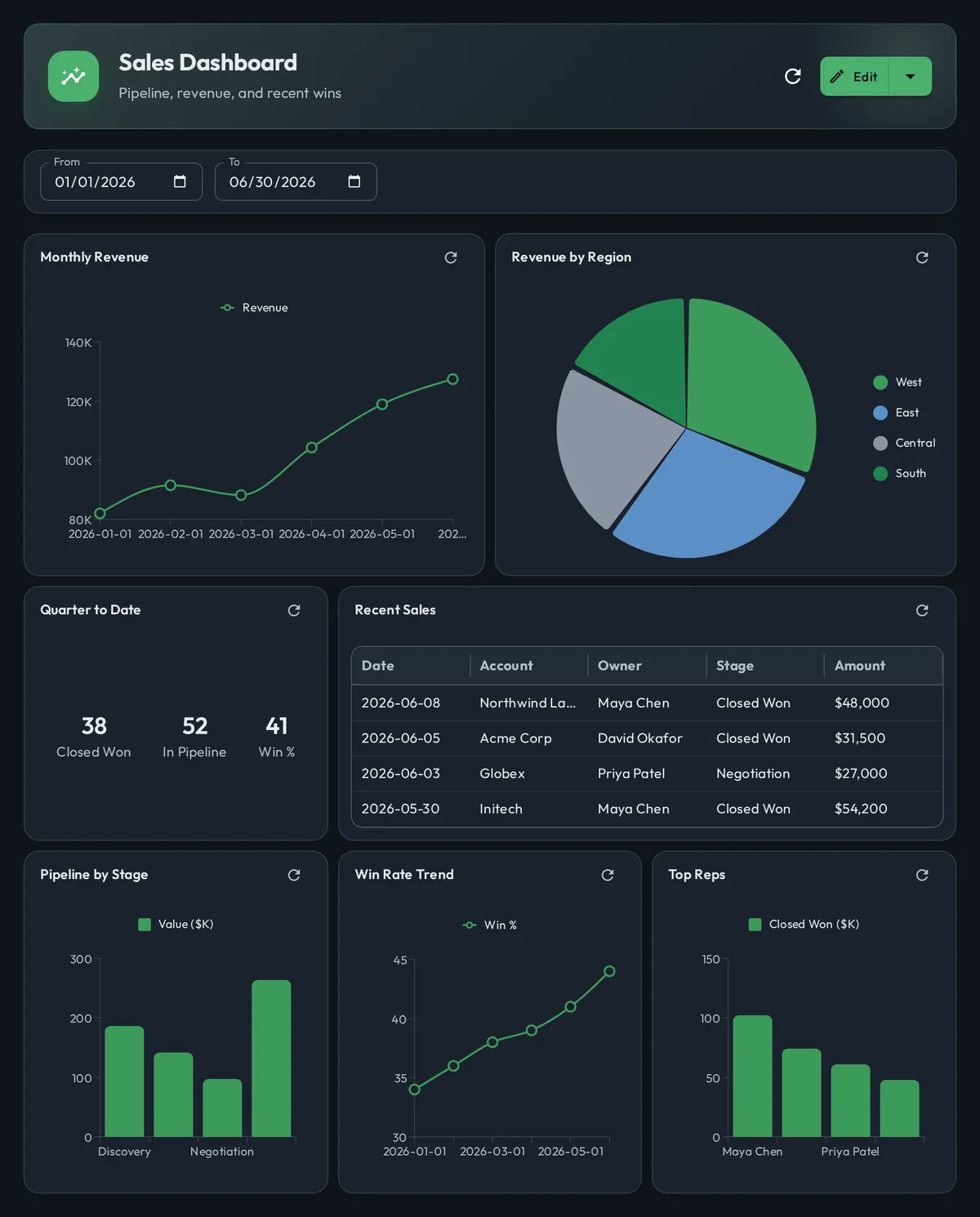
Dark mode is available. Turn it on in your personal settings and the whole app follows, charts and reports included. It is a preview while we finish tuning contrast on the busier screens, so tell us what looks off.
Commitments You Can Track
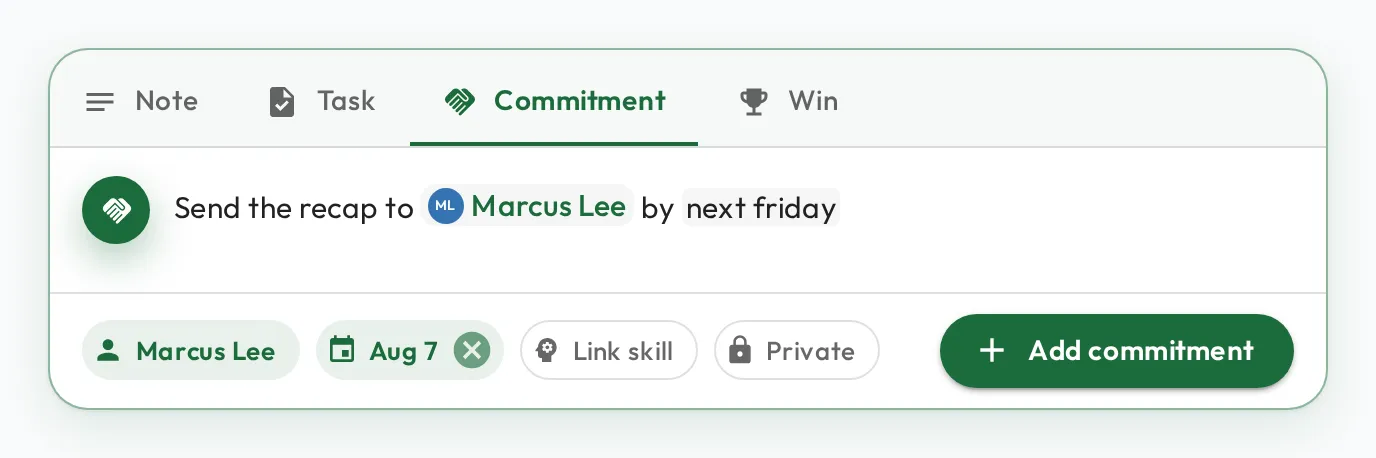
Coaching only works when people follow through on what they agreed to, so commitments are now a note type in Admire. Alongside notes, tasks, and wins, you can log a commitment against a person, give it a due date, and link the skill it advances. Open commitments appear on the person’s profile and roll up on their team’s page, and a new Commitments report lists your whole roster with what is open, what is overdue, and what is coming due.
Capturing one takes a sentence. The note box reads what you write: type @ to file the note against a person and # to switch its type. Write the due date the way you would say it, like “next friday” or “in 3 days”, and Admire fills it in for you. Learn more in our Notes guide.
Assess Yourself in One Click
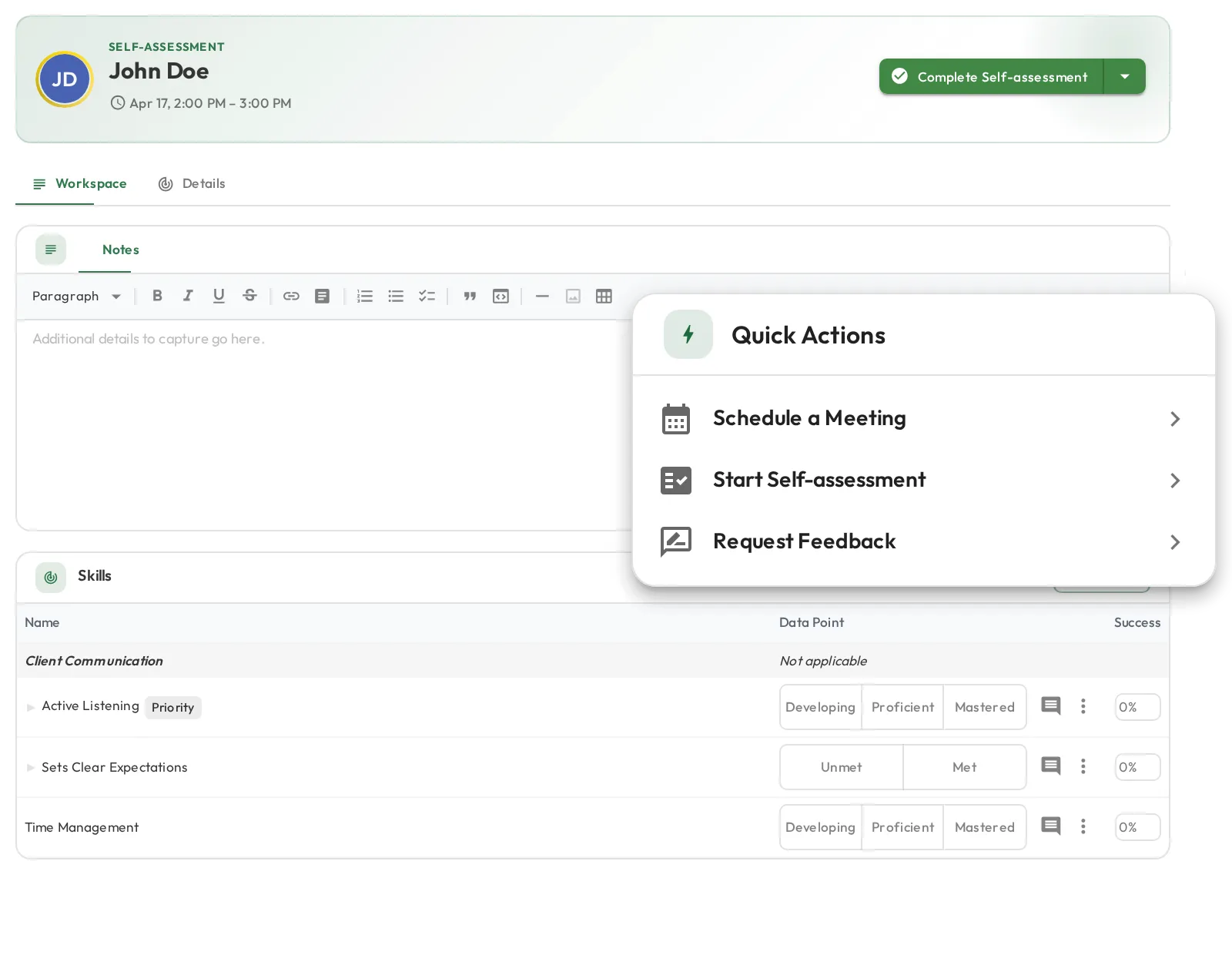
Being assessed no longer means waiting for someone else to schedule you. A Quick Actions card on the dashboard gives everyone two shortcuts straight into it.
Start Self-assessment is a single click: it creates a session where you are both the coach and the coachee, pre-loads every skill assigned to you, and opens it ready to record where you think you stand. No form, no picking a date, nobody else involved.
Request Feedback covers the other half, when you want a real coach to look at your work. It opens a meeting you manage yourself, so you describe what you want looked at, pick the skills you want assessed, choose the coach, and send it. It appears in their upcoming meetings, they record their observations, and the results come back to you. More in our Quick meetings guide.
Until Next Time
That’s July. As always, we’d love to hear your feedback, so reach out any time with questions or ideas.