Release Highlights: September 2026

September was about working together in the moment and seeing your team clearly. We made a Meeting something both people can work in at once, added three new reports, and gave Meetings a way to ask the same questions every time. Here are the highlights.
Work in a Meeting Together, Live
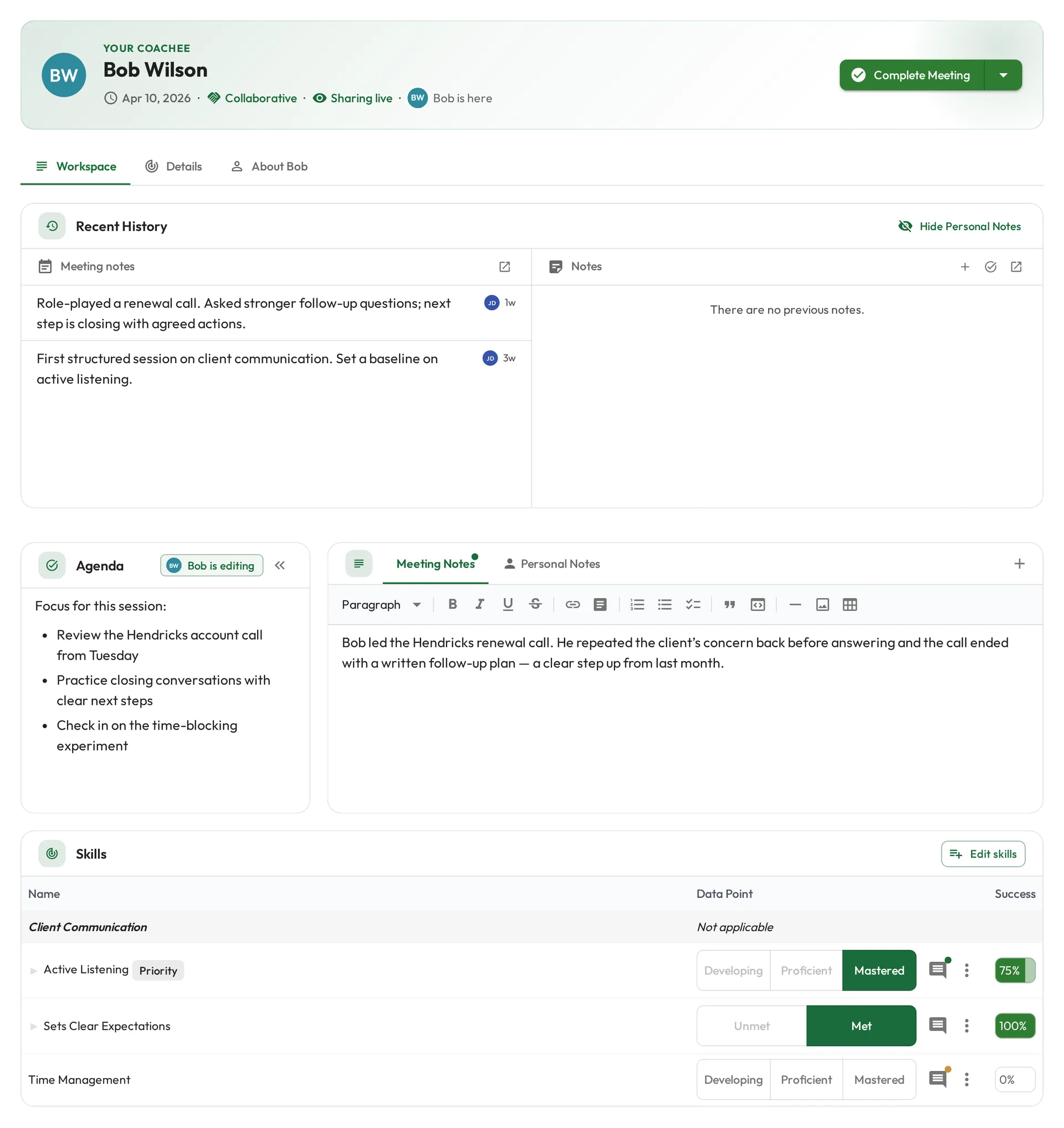
Both people can now have a Meeting open at the same time and watch each other’s changes appear within a few seconds, with no reload. Whoever else is in the Meeting shows at the top, and an “is editing” marker sits on the card they are typing in. New Meetings start Collaborative and shared, so the person being coached sees notes and scores land as they are recorded. A coach who wants a Meeting to themselves turns the switch off. Notes you add, tick off, or delete also update live across the Meeting, your dashboard, and profiles. See Working together and Collaborative Meetings.
Three New Reports
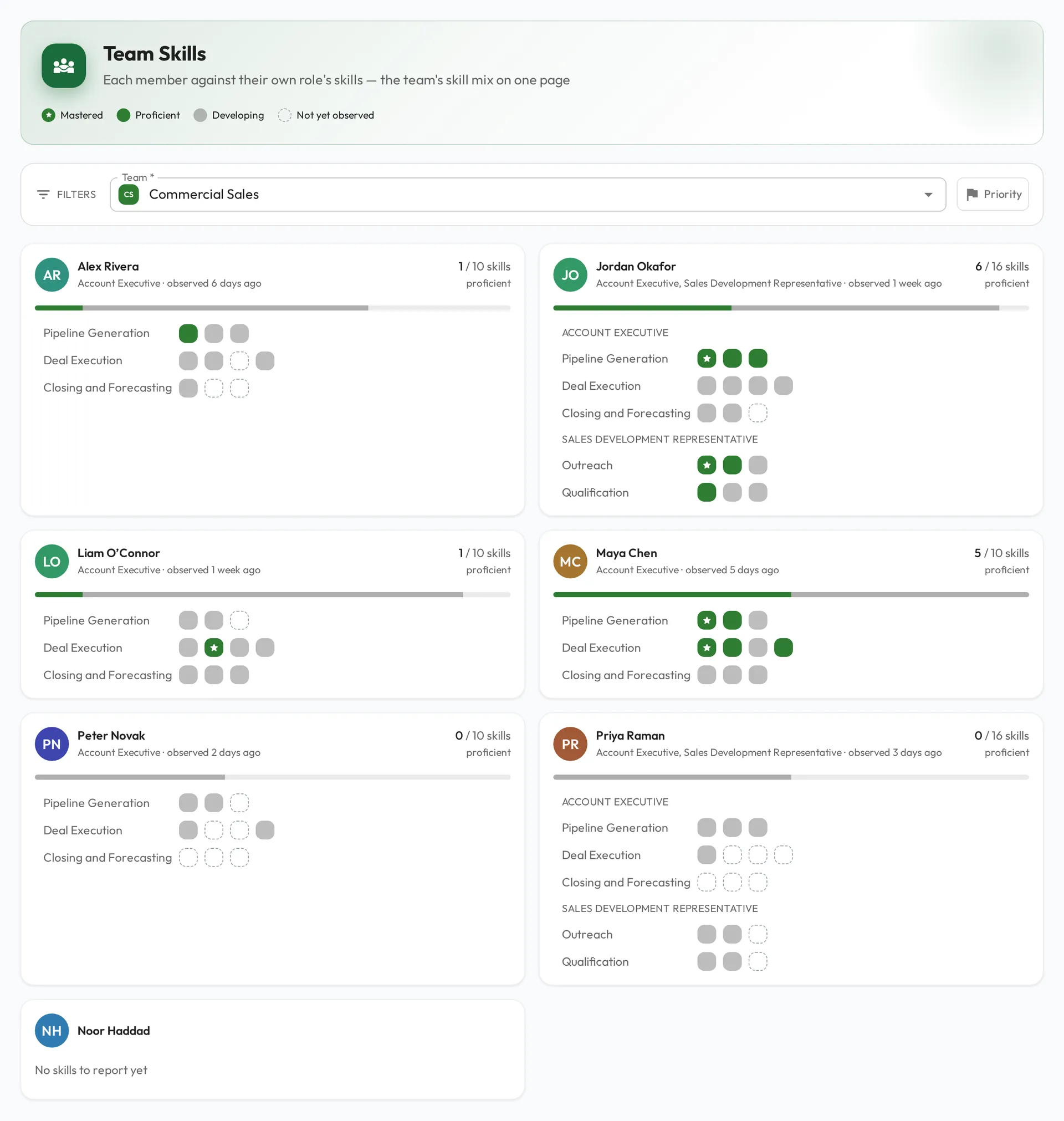
Reports has three new views of your team. Team Skills reads each member against the skills their own roles ask for, grouped by skillset, so a mixed team of account executives and sales development reps is compared fairly. The Skills Heatmap lines up everyone in a role against every skill the role expects, one cell per person per skill. The Progress Feed shows whether coaching is moving, with observations, Meetings, and AI Coaching sessions counted month by month beside a stream of skill milestones. See our team capability guide and the Progress Feed guide.
Question Sets
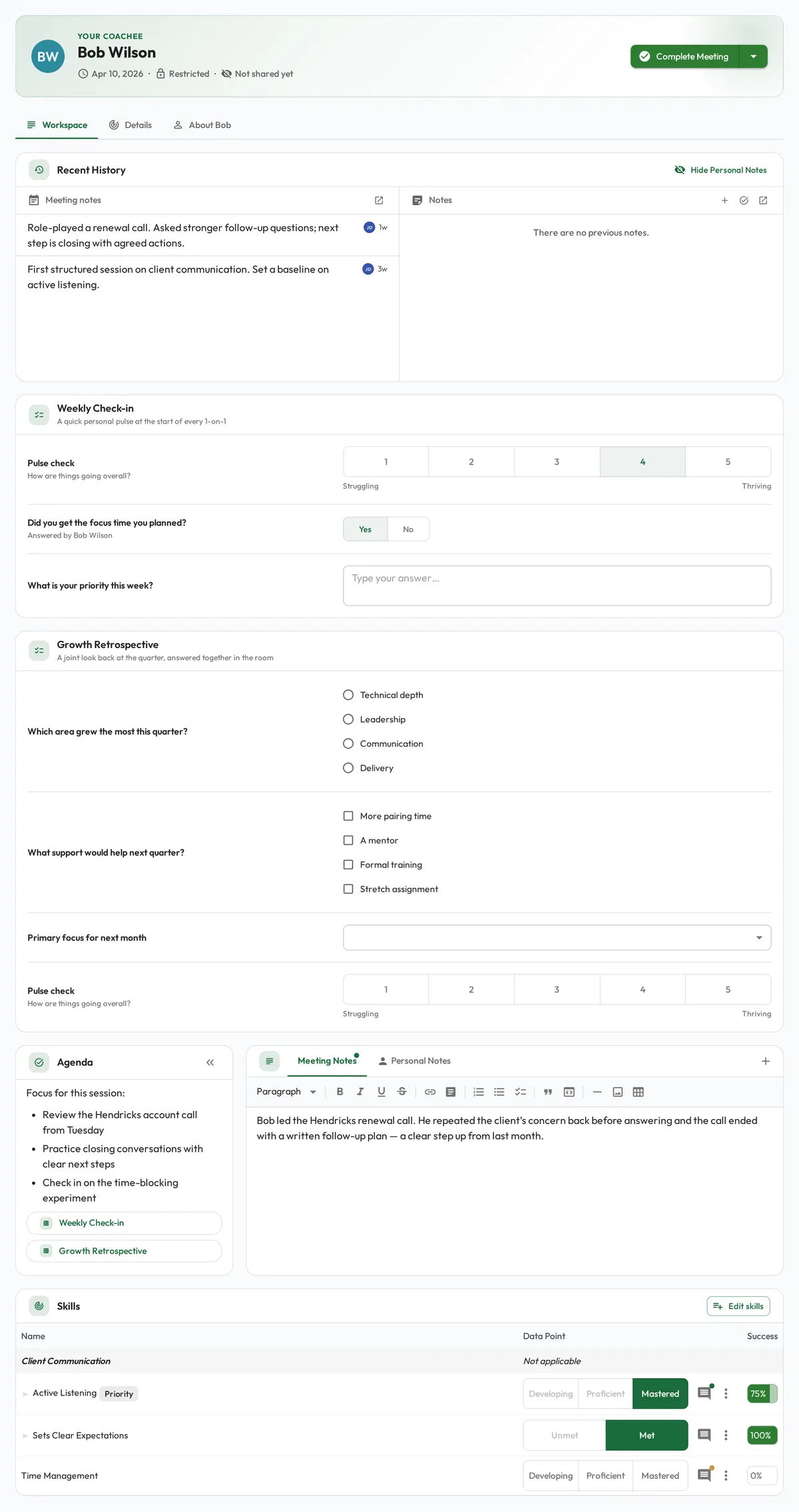
Meeting notes are good for a conversation and hard to compare over time. A question set asks the same short questions at every Meeting, such as a pulse rating, a yes or no, or a written answer, and keeps the answers as data you can chart. Build question sets from a shared library of questions, drop one into a Meeting’s agenda where you want it asked, and fill it in together during the Meeting. Every question set can keep a results table with one row per Meeting, ready for reporting. Question sets are available on request. Learn more in our Question Sets guide.
Additional Updates
- Share a single dashboard or data source with one person, team, or role. See Sharing data access.
Until Next Time
That’s September. As always, we’d love to hear your feedback. Reach out any time with questions or ideas.