Release Highlights: June 2026

June was about making Admire easier to start with and easier to learn. We rebuilt the Skills Vault so you can import proven skills instead of starting from a blank page, improved AI coaching so people can learn and assess themselves in one flow, and launched a dedicated help center at docs.admire.ai. Here are the highlights.
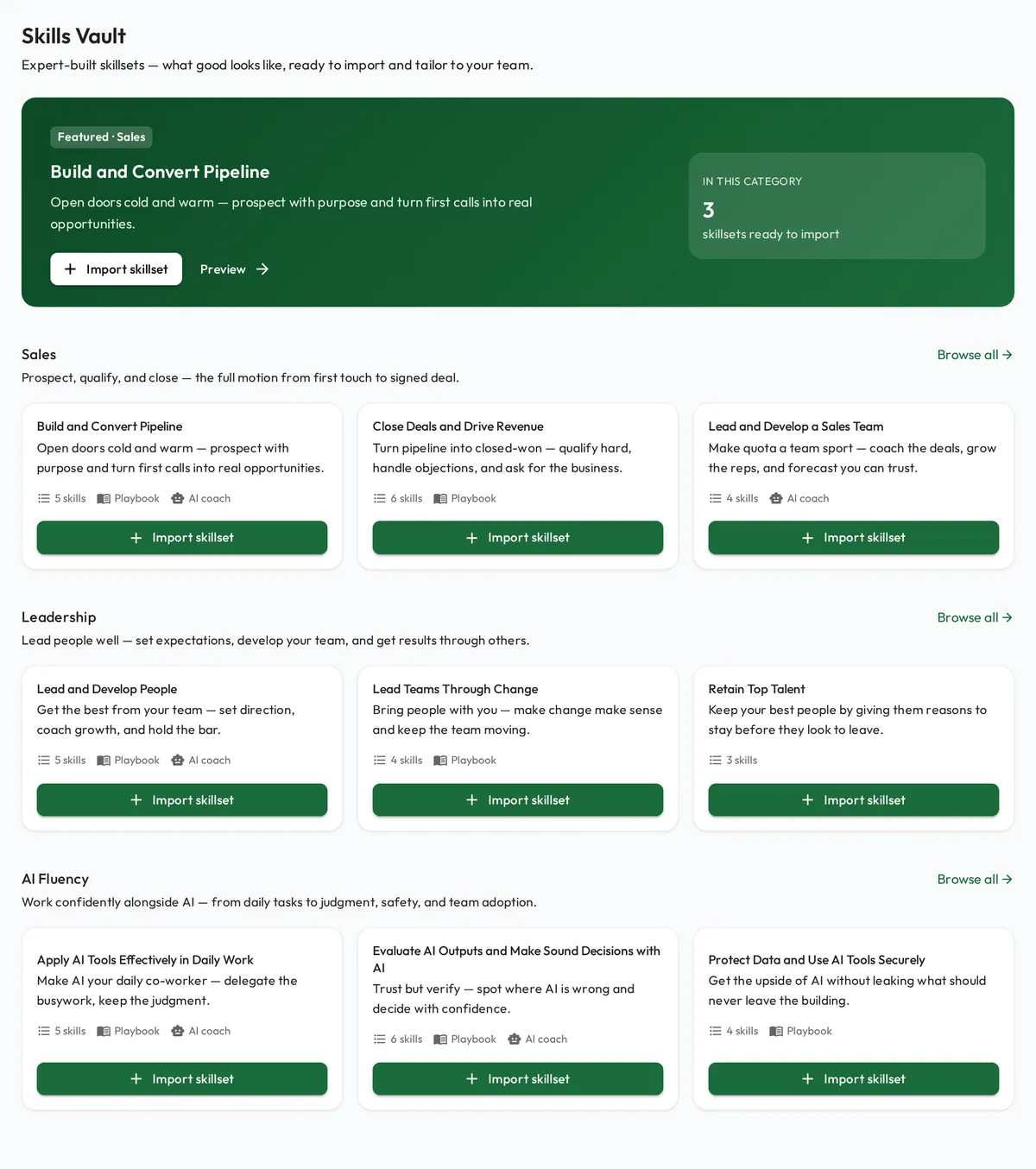
A Redesigned Skills Vault
You no longer have to build every skill from scratch. The Skills Vault is now a browsable vault of expert-curated skillsets, so you can see what good looks like, import a ready-made skillset in a click, and tailor it to your team from there. Each one imports complete, with its behaviors, playbook, and AI coach already set up, so you can use it the same day. Learn more in our Skills overview.
Improved AI Coaching
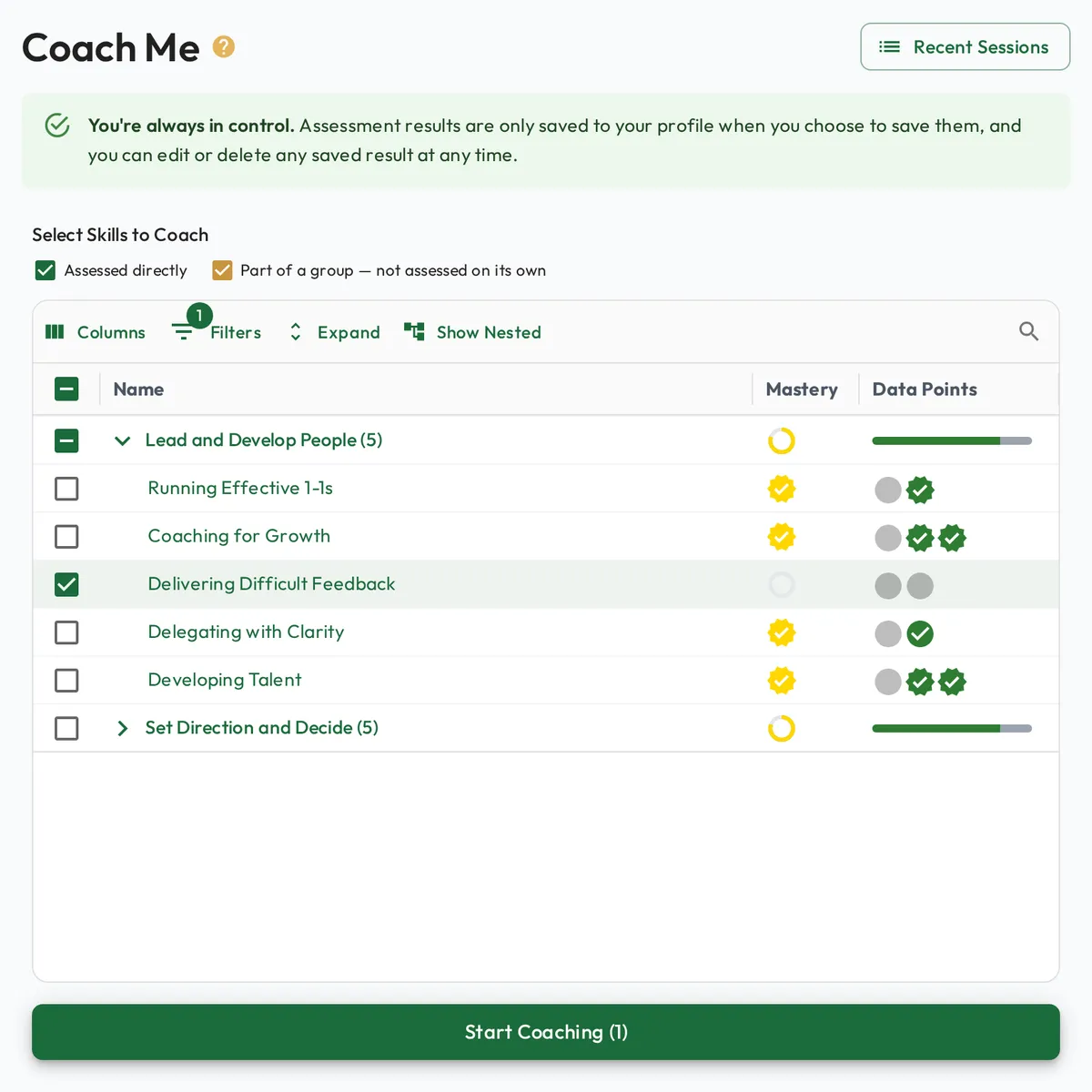
AI coaching is now a smarter way to close skill gaps on your own. Instead of choosing between learning a skill and being tested on it, you do both in one conversation: the coach teaches you, answers your questions, and forms an assessment of where you stand as you go. There is no separate “learn” or “test” mode and no score counting down while you talk, so it stays focused on learning.
Getting started is easier too. From Coach Me you pick the skills you want to work on, and Admire highlights the gaps worth your attention, like the ones your role marks as required or priority, so you can work on those first. Learn more in our AI Coaching overview.
A New Help Center at docs.admire.ai
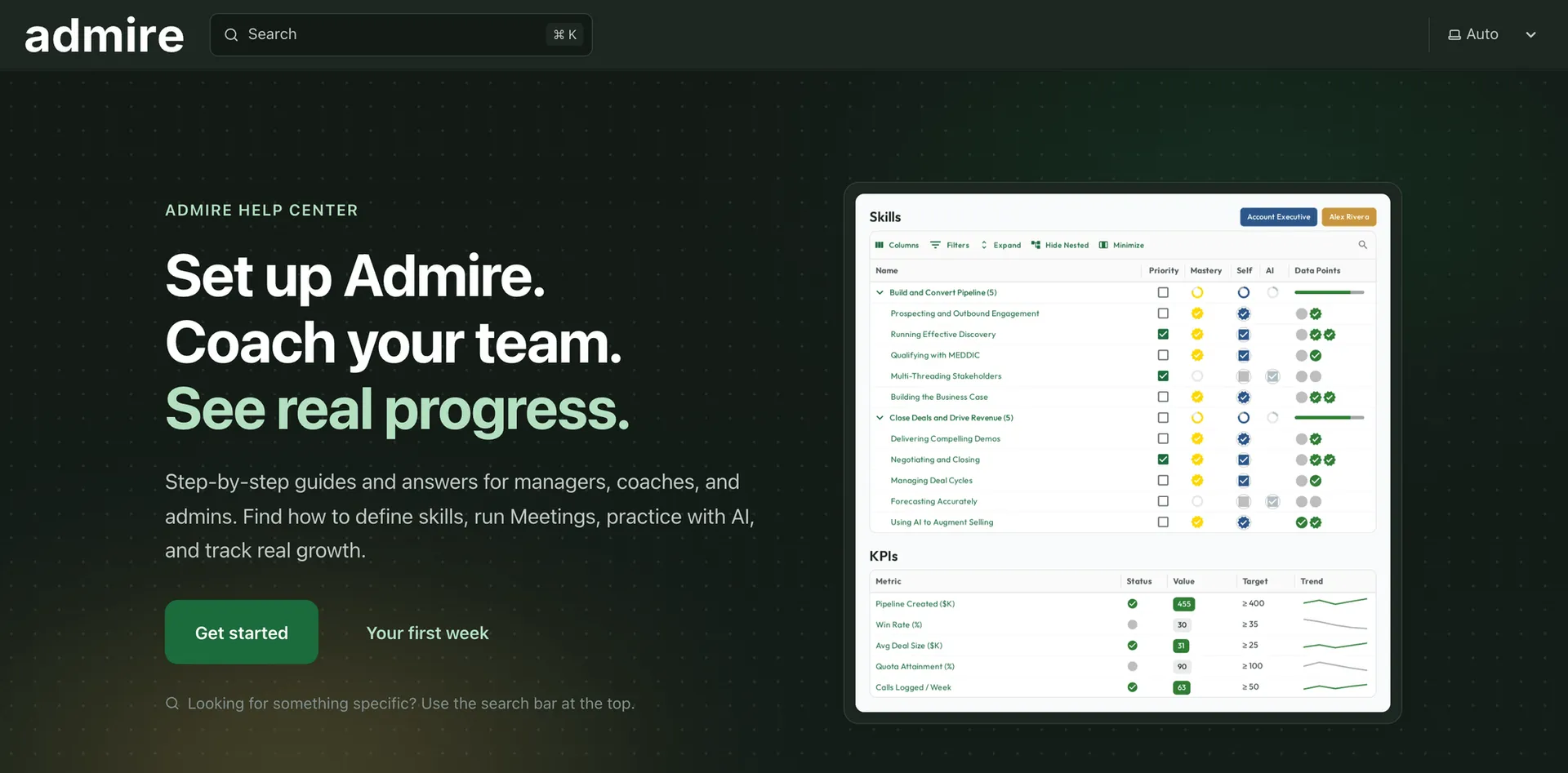
We launched a dedicated help center at docs.admire.ai that covers Admire end to end, from getting started to meetings, coaching, reporting, and managing your people. Every guide is task focused and shows the real product, so you can match what you see in the app to what you read. Every feature link in these notes points there, and there’s a search box for everything else.
Until Next Time
That’s it for June. As always, we’d love to hear your feedback, so reach out any time with questions or ideas.